 Inti Launcher
Inti Launcher › Christmas theme for Android
Christmas theme for Android icons, wallpaper and widgets
Turn your phone festive in one tap. Inti Launcher Christmas themes change the real icon of every app, set a Christmas wallpaper for the home and lock screen, and style your widgets and control center to match. Undo anytime within 10 seconds.
Christmas and winter themes

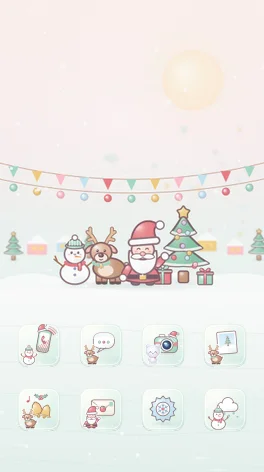
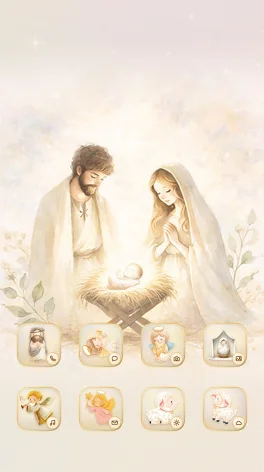

What changes when you apply a Christmas theme
- Every app icon, including apps you install later, in the theme’s Christmas style.
- A Christmas wallpaper sized for phones, foldables and tablets, plus a separate lock screen picture on some themes.
- Clock, calendar, weather and upcoming holiday widgets in festive colors.
- A control center and keyboard that match the theme.
Cozy, pastel or nativity
Choose a warm Christmas night with snow and lights, a soft pastel Christmas with Santa and reindeer, or the Star of Bethlehem with a watercolor nativity scene. Cozy Winter keeps the mood after the holidays.
How to apply a Christmas theme
- Install Inti Launcher and set it as your Home app.
- Open Themes and pick a Christmas theme.
- Preview it on your own home screen, then tap Apply.
- Changed your mind? Tap Undo within 10 seconds.
Frequently asked questions
Are the Christmas themes free?
Cozy Christmas Night and Pastel Christmas are free. Star of Bethlehem and Cozy Winter are part of Inti Pro.
Does a Christmas theme change all app icons or only some?
All of them. Popular apps get hand-drawn Christmas icons and every other app gets a matching icon with a small app badge.
Can I go back to my normal theme after Christmas?
Yes. Apply any other theme, or open Apply history to return to one of your last 20 themes. Your app layout stays the same.